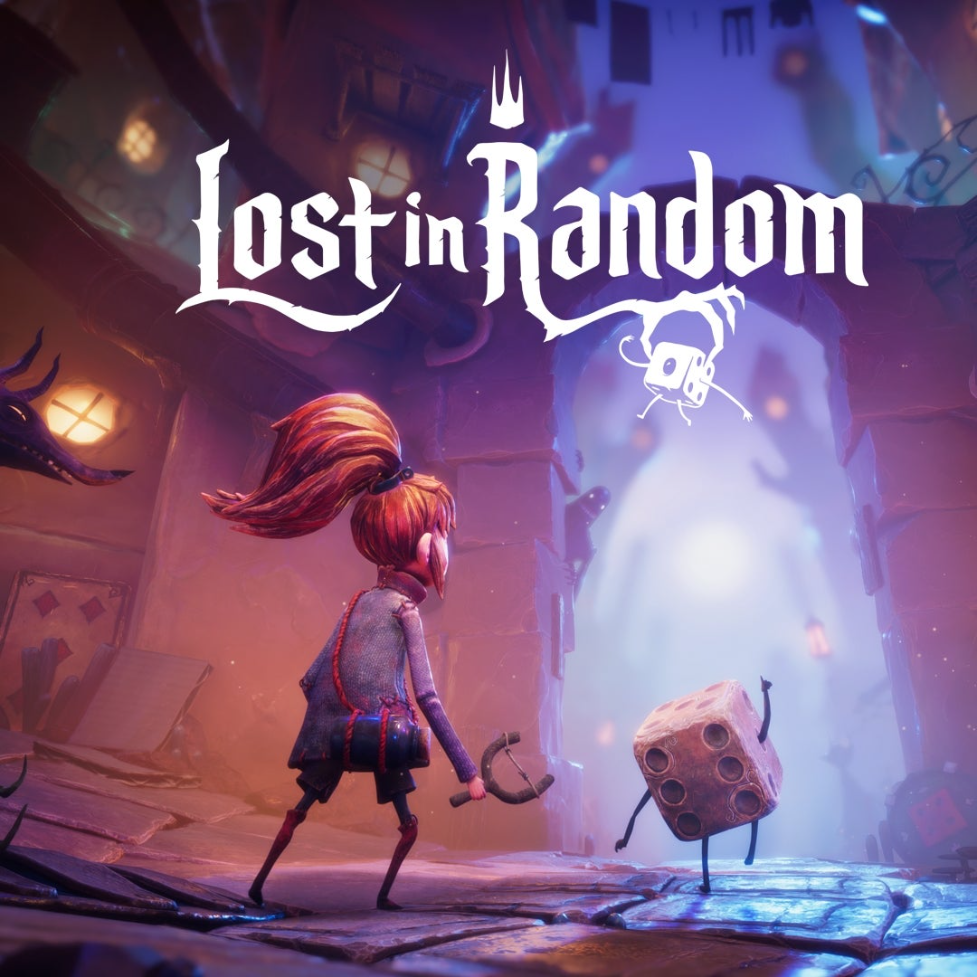
Lost in Random cover

PS4 & PS5 DIGITAL GAME RENTAL

Lost in Random

PS5 & PS4 · Adventure

Check the latest Trophy and Non-Trophy rental status below. Final availability is confirmed when you message JotunDGPH.

PS5 TrophyAvailableNon-TrophyAvailable
PS4 TrophyAvailableNon-TrophyAvailable

PS4 & PS5 DIGITAL GAME RENTALS

Choose. Play. Swap. Repeat.

Browse Games, your next adventure awaits, 1 game at a time!

What would you like to do?

FIRST TIME RENTING?

New to renting?

See how digital game rentals work, what you need, and which rental type fits you.

Loading games…

SIMPLE FROM START TO FINISH

How to Rent

01.

Choose

Search the catalog and check for Trophy or Non-Trophy Availability. Date specified is the next availability date of the slot.
02.

Message

Send an inquiry through Messenger, provide requirements and pay for the slot.

03.

Play

Follow the setup guide, download your game, and start your adventure.

CHOOSE YOUR PLAY STYLE

Plans & Pricing

Choose the rental plan that fits how often you want to change games.

PREMIUM MOST FLEXIBLE

Premium Unlimited Plan

Available across the full catalog-new or old, in-demand or not. Unlimited game changes, one game at a time.

Trophy Slot
₱600 30 Days
₱250 7 Days
Non-Trophy Slot
₱300 30 Days
₱150 7 Days

Includes new releases and high-demand titles. Games marked Initial Rent begin with their required Premium initial-rent period.

CLASSIC BEST VALUE

Classic Unlimited Plan

For selected older games, generally 6 months or more after release. Unlimited changes with a 24-hour cooldown and a limit of 4 games per week.

Trophy Slot
₱350 30 Days
Non-Trophy Slot
₱200 30 Days

A great balance of flexibility and value. High-demand older titles may remain Premium-only.

SINGLE SHORT RENTAL

Single Plan

One game only. Add ₱50 for every game change.

Trophy Slot
₱200 7 Days
Non-Trophy Slot
₱100 7 Days

Perfect for short adventures or trying a new game.

Unlimited game changes except Single Plan Classic Plan has a 24-hour cooldown Unused days may be carried forward within 7 days

Prices are in Philippine pesos. Trophy and Non-Trophy slots are rented separately.

GAME OPTIONS

Choose your game option

Choose your console and rental type.

NEW RENTER GUIDE

How digital game rental works

Rent one PS4 or PS5 digital game at a time. We send your setup instructions through Messenger-no discs or delivery needed.

01

Choose a game

Search the catalog and check availability. Tap Rent Now when a slot is open, or Add to Wait List and we’ll reach out once a slot becomes available.

02

Pick your rental type

Trophy lets you play on your account. Non-Trophy costs less and uses our account; occasional logout may happen.

03

Message, pay, and play

Review the prepared summary, send it in Messenger, complete payment, and follow the setup steps we provide.

Before you start

PS4 or PS5 console
Stable internet connection
Enough storage for the game
Messenger for setup and support

New-release note: Selected new games may require a 7-day Premium initial rent before other options become available.

01

How Renting Works

Choose your game, tap Rent Now, then select your console and rental type. Pick Rent This Game or Swap My Game, and the website will prepare the complete summary you can send to us on Messenger.

Game you want is not available? Select the unavailable slot and tap Add to Wait List. Leave your contact details and we will reach out when a slot is ready.

Please message our page first. After joining the wait list, send us a quick message on Messenger. Facebook may prevent our page from starting a new conversation with you unless you have messaged us first.
02

What First-Time Renters Need

PS4 or PS5 Console Choose the console version supported by the game you want to rent.
Good Internet Connection Needed for downloading games and making the most of unlimited game swapping.
03

Trophy vs Non-Trophy

Trophy Slot

Play on your own account. Trophies and save-file progress stay on your account.

Non-Trophy Slot

Play on our rental account. Trophies and save-file progress stay on our account. Occasional logouts may happen; contact us if you need updated access.

04

Plans & Prices

Choose based on how often you want to change games and which titles you want to access.

ALL GAMES Premium Unlimited
Most Flexible

For all games-new or old, in-demand or not. Unlimited game changes, one game at a time.

Trophy
₱250 / 7 Days
₱600 / 30 Days
Non-Trophy
₱150 / 7 Days
₱300 / 30 Days
SELECTED OLDER GAMES Classic Unlimited
Best Value

Generally for games released 6 months ago or longer. Includes unlimited changes with a 24-hour cooldown and up to 4 games per week.

Trophy
₱350 / 30 Days
Non-Trophy
₱200 / 30 Days
ONE GAME Single Plan
Simple

Rent one game for 7 days. Add ₱50 whenever you change to another game.

Trophy
₱200 / 7 Days
Non-Trophy
₱100 / 7 Days
Initial Rent games New, bundled, or high-demand titles marked with an Initial Rent requirement begin under their required Premium rental period before regular plan options become available.
05

Still Have Questions?

Message JotunDGPH Support and we’ll help you choose the right game, slot, and plan.

Contact Support on Messenger

READY TO RENT?

Pick a game and start your next adventure.

Close this guide and browse the latest availability in our catalog.

CHOOSE YOUR PACE

Compare rental plans

One active game at a time on every plan.

Classic

Balanced
Trophy
₱350 / 30 days
Non-Trophy
₱200 / 30 days

For selected older games. Up to 4 games per week with a 24-hour cooldown between changes.

Single

Try one
Trophy
₱200 / 7 days
Non-Trophy
₱100 / 7 days

One game for 7 days. Add ₱50 for every game change.

Important: Initial-rent requirements still apply. Unused eligible days may carry forward when you rent again within 7 days.

JOTUNDGPH HELP CENTER

Full Rental Guide

Open only the topic you need. Your place in the catalog is kept when you return.

What You Need

A PS4 or PS5, stable internet, enough storage, and Messenger for setup instructions and support.

How Renting Works

Choose one game, select a console and slot, review the website summary, then send it to us through Messenger. We confirm final availability and payment before setup.

Trophy vs Non-Trophy

Trophy: play on your own account; trophies and save data stay there. Non-Trophy: play on our rental account; trophies do not sync to your account and occasional logout may happen when access credentials change.

Plans

Premium offers unlimited eligible changes. Classic allows up to four games weekly with a 24-hour cooldown. Single covers one game for seven days, with ₱50 per change.

7-Day Initial Rent

Selected new or high-demand games begin with their marked Premium initial-rent period before other plan options become available.

How to Rent

Choose a game and check its slot status. Tap Rent Now when a slot is open. If it is unavailable, tap Add to Wait List and we’ll reach out once a slot becomes available.

How to Swap

Choose the game you want, tap Swap My Game, verify your active rental, complete the PS5 Console Sharing or PS4 Primary deactivation steps, and have a screenshot ready to attach in Messenger.

Wait List

Regular and Priority are separate queues. Entries are first come, first served within each queue. You have two hours to respond when contacted; two ignored or passed offers remove the entry.

During Rental

Keep the rental user on your console, follow the supplied access instructions, and message us before making account or console-sharing changes.

Troubleshooting

If access, download, or login fails, take a screenshot of the exact message and contact us on Messenger. Non-Trophy password updates can occasionally require a fresh login.

Message JotunDGPH

Filter games

NAVIGATION

Menu

WAIT LIST CENTER

Join or check the queue

Type part of a title, then select the game from the results.
Have you messaged JotunDGPH on Facebook before?
Preparing secure human verification…

QUICK RENT

Build your rental

RENTAL ASSISTANT

Are you a new renter?

We’ll recommend a rental type and plan in three quick questions.

PLAYSTATION TROPHIES

What are trophies?

Trophies are digital achievements you earn by completing goals in PlayStation games. Choose a Trophy Slot if you want trophies and save progress on your own PSN profile. A Non-Trophy Slot uses our rental account, so its trophies and saves do not go to your profile.

SWAP NOT AVAILABLE

This swap isn’t compatible with your current rental

RENTAL SUMMARY

Ready to send

Review your selections below. The exact text shown here will be copied before Messenger opens in a new tab.

After Messenger opens: Press Ctrl + V on PC, or tap and hold then choose Paste on mobile.